





Updated October 2026 by the Go Mobile repair team

Quick answer

Bring your phone to Go Mobile at 5600 Albemarle Rd in East Charlotte, or book a 30-minute drop-off time online. You get a free quote before any work begins. Repairs are done the same day in most cases, and most iPhone screen repairs take 20 to 45 minutes. iPhone screens start at $39 (iPhone 6) and Samsung screens start at $89. Premium iPhone screens carry a 1-year warranty and all other repairs a 90-day warranty.*

Read more “Phone Repair Service in Charlotte: What to Expect at Go Mobile”
Updated October 2026 by the Go Mobile repair team

Quick answer

Unlocking removes the carrier lock so your phone works with another carrier’s SIM or eSIM. Flashing reinstalls the phone’s software to fix a phone stuck on the logo, in a boot loop or after a failed update. Go Mobile unlocks and flashes phones at 5600 Albemarle Rd in East Charlotte. Bring the phone in for a free quote. In the US it is legal to unlock a phone you own.

Read more “Phone Unlocking and Flashing in Charlotte: How It Works”

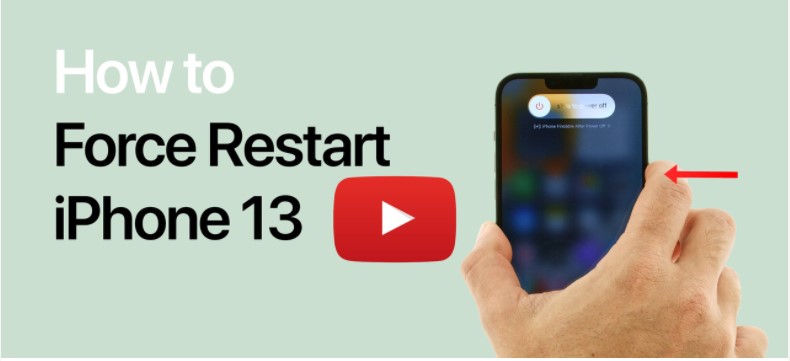
How to Force Restart Your iPhone 13
By Eric / Phone repair / 0 Comments

Updated October 2026 by the Go Mobile repair team

Quick answer

On iPhone 13, and every iPhone from iPhone 8 onward including the iPhone SE (2nd and 3rd generation): press and quickly release volume up, press and quickly release volume down, then press and hold the side button until the Apple logo appears. A force restart does not erase your data. If the screen stays black after a force restart and 30 minutes of charging, the phone may need a repair.

Read more “How to Force Restart Any iPhone (iPhone 13 and Every Other Model)”

apple event 091421 iphone 13 34

Updated October 2026 by the Go Mobile repair team

Quick answer

All four iPhone 13 models share the A15 Bionic chip, Face ID, a Ceramic Shield OLED screen, 5G, MagSafe and a Lightning port. The 13 mini (5.4-inch) and 13 (6.1-inch) have two rear cameras and a 60Hz screen. The 13 Pro (6.1-inch) and 13 Pro Max (6.7-inch) add a 120Hz ProMotion screen, a 3x telephoto camera, LiDAR and a stainless steel frame. For repairs, each model uses its own screen and battery, so tell us the exact model when you ask for a quote.

Read more “iPhone 13 vs 13 mini vs 13 Pro vs 13 Pro Max: Differences and Repair Tips”

iPhone repair

Updated October 2026 by the Go Mobile repair team

Quick answer

Apple Self Service Repair lets you buy genuine Apple parts, read official repair manuals and rent a professional tool kit ($49 for seven days) to fix your own iPhone, iPad or Mac. It now covers models up to the iPhone 17 lineup and iPhone Air. It works well if you have repair experience and time. If not, a repair shop is usually faster and avoids the risk of damaging the device.

Read more “Apple Self Service Repair vs. a Repair Shop: Which Is Right for You?”

iCloud Drive Not Syncing?

Updated October 2026 by the Go Mobile repair team

Quick answer

Check that you are signed in to the same Apple Account on every device, that iCloud Drive is turned on, and that your iCloud storage is not full. Connect to Wi-Fi, turn off Low Power Mode and Low Data Mode, and restart. Also check Apple’s System Status page in case iCloud itself is having problems.

Read more “iCloud Drive Not Syncing? How to Fix iCloud Sync on iPhone, iPad and Mac”

my iphone wont charge 846x635 1

Updated October 2026 by the Go Mobile repair team

Quick answer

Most charging problems are a bad cable or lint packed in the port. Try a different cable and wall adapter, then power the phone off and gently clean the port with a wooden toothpick and a flashlight. Never use metal or liquids. If wireless charging works but the cable does not, the port is the problem. If cleaning does not help, the port likely needs repair.

Read more “Phone Not Charging? How to Fix a Charging Port Yourself (Safely)”

By Eric / Phone repair / 0 Comments

Updated October 2026 by the Go Mobile repair team

Quick answer

Force restart the iPhone and install the latest iOS update first. Then turn off Auto-Brightness and check that the flicker is not caused by low brightness or an app. If the screen still flickers, shows green lines or flickers only when pressed or after a drop, the display or its connection is likely damaged and needs repair.

Read more “iPhone Screen Flickering: Causes and How to Fix It (iPhone 11 Pro and Newer)”

iPhone 11 experiencing Camera black screen problem

Updated October 2026 by the Go Mobile repair team

Quick answer

Close the Camera app, switch between the front and rear cameras, and restart the iPhone. Check that the camera is not blocked by a case or restricted in Screen Time, and update iOS. If only one camera stays black, or the flashlight also stops working, the camera module is likely damaged and needs repair.

Read more “iPhone Camera Black Screen: How to Fix It”

iphone xr with black screen issue
By Eric / Phone repair / 0 Comments

Updated October 2026 by the Go Mobile repair team

Quick answer

First charge the iPhone for 30 minutes, then force restart it. If it rings, vibrates or answers Siri while the screen stays black, the display has likely failed and needs replacing. If it does nothing at all, connect it to a computer and use Update in recovery mode, which reinstalls iOS without erasing your data. If none of that works, it is usually a hardware problem.

Read more “iPhone Black Screen of Death: How to Fix It (iPhone XR and Newer)”

iphone x in contact with water
By Eric / Phone repair / 0 Comments

Updated October 2026 by the Go Mobile repair team

Quick answer

No iPhone is waterproof. Since the iPhone 7, iPhones are water resistant: the iPhone X is rated IP67 (1 meter for up to 30 minutes), and recent models are rated IP68 at up to 6 meters. Water resistance wears down over time. Apple’s standard warranty does not cover liquid damage, while AppleCare+ covers accidental damage, including liquid, for a service fee.

Read more “Is My iPhone Waterproof? Water Resistance by Model (iPhone X to Today)”

Updated October 2026 by the Go Mobile repair team

Quick answer

If a laptop port stops working, test a different charger or cable, check for lint and debris with a flashlight, and update drivers. A loose, wobbly or burnt-looking charging port usually needs repair. On many laptops, including MacBooks, USB-C ports are soldered to the board, so the repair takes board-level work.

Read more “Laptop Charging Port and USB Port Problems: Causes and Fixes”

Updated October 2026 by the Go Mobile repair team

Quick answer

A phone battery usually needs replacing when it drains fast, shuts off at 20 or 30 percent, makes the phone slow, gets hot or only works plugged in. On iPhone, check Settings > Battery > Battery Health. On Samsung, use the battery diagnostic in the Samsung Members app. A swollen battery is a safety issue: stop charging the phone and get it checked right away.

Read more “7 Signs Your Phone Battery Needs Replacing”