


Updated October 2026 by the Go Mobile repair team
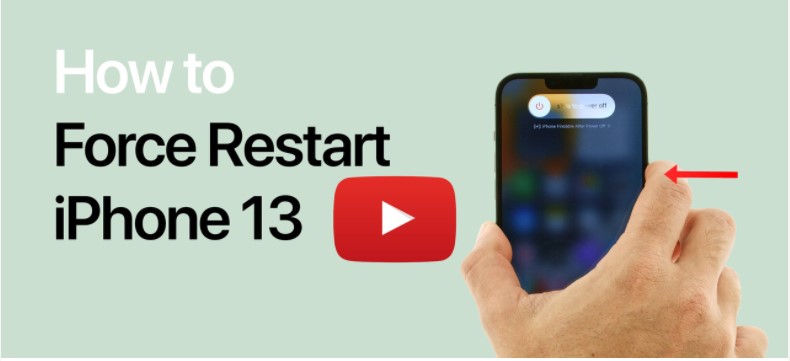
On iPhone 13, and every iPhone from iPhone 8 onward including the iPhone SE (2nd and 3rd generation): press and quickly release volume up, press and quickly release volume down, then press and hold the side button until the Apple logo appears. A force restart does not erase your data. If the screen stays black after a force restart and 30 minutes of charging, the phone may need a repair.
iPhone 13, 14, 15, 16, 17 and every iPhone since iPhone 8
- Press and quickly release the volume up button.
- Press and quickly release the volume down button.
- Press and hold the side button. Keep holding when the power-off slider appears.
- Release when the Apple logo appears. This can take 10 to 20 seconds.
This works on iPhone 8 and later, every Face ID iPhone and the iPhone SE (2nd and 3rd generation).
iPhone 7 and iPhone 7 Plus
Press and hold the volume down button and the side button together until the Apple logo appears.
iPhone 6s, iPhone 6 and iPhone SE (1st generation)
Press and hold the Home button and the side (or top) button together until the Apple logo appears.
When to force restart
- The screen is frozen and does not respond to touch.
- The screen is black but the phone rings or vibrates.
- An app is stuck and the phone will not respond.
- The phone seems dead after charging.
A force restart only restarts the phone. It does not delete photos, messages or settings.
If a force restart does not work
- Plug it into a wall charger with a known-good cable for at least 30 minutes, then try again.
- Check for a charging icon. If none appears, see our guide to charging port problems.
- If the phone shows the Apple logo and then restarts again and again, connect it to a computer and use Update in recovery mode, which reinstalls iOS without erasing your data.
- If the screen stays black but the phone rings, the display may have failed. See how to fix an iPhone black screen.
Still stuck?
Bring it to Go Mobile at 5600 Albemarle Rd in East Charlotte. You get a free quote before any work begins, and repairs are done the same day in many cases. See iPhone repair in Charlotte.
Frequently asked questions
How do I force restart an iPhone 13?
Press and release volume up, press and release volume down, then hold the side button until the Apple logo appears.
Does a force restart delete anything?
No. A force restart does not erase your data. It only restarts the phone.
How long do I hold the side button?
Keep holding until the Apple logo appears, usually 10 to 20 seconds. Do not let go when the power-off slider shows.
What if my iPhone still will not turn on?
Charge it for 30 minutes with a known-good cable and try again. If it still does not start, bring it in for a free quote.
iPhone still frozen or black?
Get a free quote at Go Mobile, 5600 Albemarle Rd, Suite 600, Charlotte. Walk in or book a drop-off time online.