



Updated October 2026 by the Go Mobile repair team
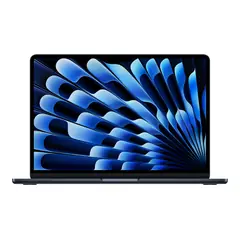
If a laptop port stops working, test a different charger or cable, check for lint and debris with a flashlight, and update drivers. A loose, wobbly or burnt-looking charging port usually needs repair. On many laptops, including MacBooks, USB-C ports are soldered to the board, so the repair takes board-level work.
The ports that fail most often
- Charging port (a round barrel jack or USB-C): the most common failure, often from the laptop being moved while plugged in.
- USB-A and USB-C ports: loose connections or devices not detected.
- HDMI port: no picture on an external monitor.
- Headphone jack and SD card slot: crackling audio or cards not read.
Laptop not charging: what to check
- Try a different outlet and check that the charger light is on, if it has one.
- Try another charger with the right wattage. A weak USB-C charger may charge very slowly or not at all.
- Look into the port with a flashlight for lint or bent pins.
- Restart the laptop and check that the battery icon shows it is plugged in.
- If the plug feels loose, or charging cuts in and out when you move the cable, the port is likely damaged.
USB or HDMI port not working
- Test the device in another port and on another computer to find out which one is at fault.
- On Windows, check Device Manager for errors and run Windows Update.
- For HDMI, try another cable and select the right input on the monitor. Press Windows + P to choose a display mode.
How to clean a laptop port safely
Shut the laptop down and unplug it. Use a flashlight and a wooden toothpick or a soft, dry brush to remove lint. Do not use metal tools or liquids.
When a port needs repair
- The port is loose or wobbles.
- You see burn marks, melted plastic or a burnt smell.
- Pins are bent or broken.
- The laptop got wet.
Some charging jacks are on a separate cable that can be replaced. Others, including most USB-C ports, are soldered to the motherboard and need careful board repair.
Laptop port repair in Charlotte
Bring your laptop and charger to Go Mobile at 5600 Albemarle Rd in East Charlotte for a free quote. Every repair carries a 90-day warranty.
See laptop repair, MacBook repair or Chromebook repair.
Frequently asked questions
Why is my laptop plugged in but not charging?
It can be the charger, the cable, the battery or the charging port. Try another charger first. If the plug feels loose, the port likely needs repair.
Can a laptop charging port be repaired?
Yes. Some ports are on a replaceable cable, and others are soldered to the board and need board repair.
Is it safe to clean a laptop port?
Yes, if the laptop is off and unplugged and you use a wooden toothpick or soft brush. Do not use metal or liquids.
Can a MacBook USB-C port be fixed?
Often, yes, but it usually needs board-level work. Bring it in for a free quote and we will explain what the repair involves.
Laptop port acting up?
Get a free quote at Go Mobile, 5600 Albemarle Rd, Suite 600, Charlotte. Walk in or book a drop-off time online.